A punch-in / punch-out machine records the moment each employee starts and finishes work. VOWTECH supplies, installs and configures employee punching machines for Abu Dhabi businesses — fingerprint, face recognition and card or PIN models — and sets up the attendance software behind them so every punch turns into a usable timesheet.
A punch-in machine and a punch-out machine are the same device doing two jobs: it identifies the employee, stamps the date and time, and stores that event as a punch. Whether people call it an attendance punching machine, a biometric punching machine or simply the punching system, the purpose is identical — a trustworthy record of who was at work and when, without paper registers or handwritten timesheets.
On its own, a list of punches is not much use. The value comes from the punch-in/punch-out system around the device: software that pairs each IN with its OUT, applies shift and overtime rules and produces timesheets for HR. VOWTECH sets up both halves, from the biometric devices at the entrance through to a full attendance system installation when a complete setup is required.
Punching machines are also network equipment. They need power, a data point or reliable Wi-Fi, and a path to the PC, server or cloud service that holds the records. If the entrance has no network point, our networking and infrastructure engineers add one, and companies with several branches can bring every machine into one UAE-wide attendance system.
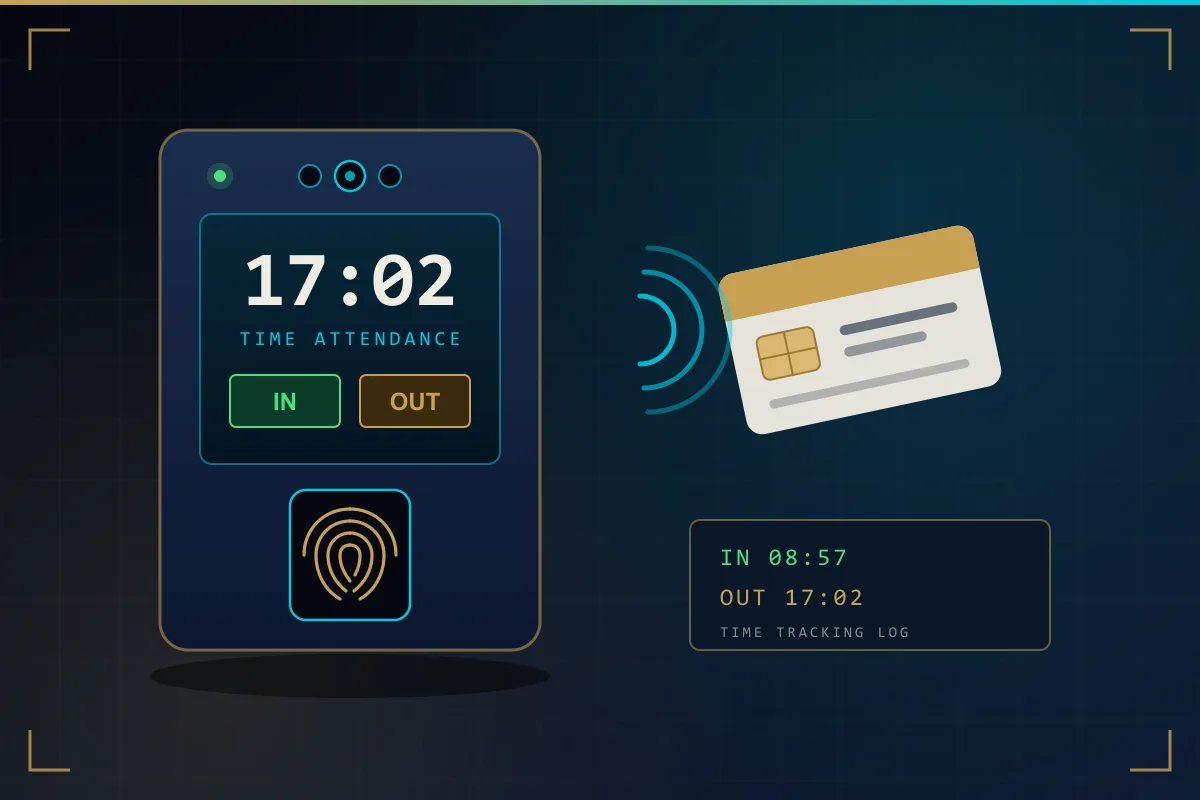
Every punching machine answers one question — who is this? — before it records the time. The difference between models is how they answer it.
The employee places a finger on the sensor and the machine matches it against the enrolled template. It is the familiar choice for offices, shops and clinics, and it cannot be lent to a colleague the way a card can.
The terminal recognises the employee as they look at the screen — nothing to touch. It copes well with shift changes where many people arrive together, and with workshops or kitchens where hands are wet, gloved or dusty.
Staff tap a proximity card or key in a PIN. It is straightforward and suits visitors, contractors and short-term workers, though cards and PINs can be shared, so many employers combine them with a biometric check.
A punching machine is only as good as the rules behind it. These are the settings that decide whether your timesheets can be trusted.
Machines go at the entrances staff really use — main door, staff entrance, warehouse gate — indoors or under cover, away from direct sun, with room for a queue at shift change.
Each person is registered with the correct employee number and department, then their fingerprint, face or card is captured and tested with a real punch before they leave the desk.
Fixed hours, rotating shifts, split shifts and night shifts that cross midnight are defined in the software so every punch is matched to the right working day.
You decide how many minutes of grace apply, when lateness starts counting and how early departures are flagged. The software then applies that policy the same way to everyone.
Overtime can be set to start after the scheduled finish or after a daily total, with separate treatment for rest days and public holidays, in line with your HR policy.
Monthly attendance summaries are exported in a format your payroll process can use, such as a spreadsheet file, or passed to HR software where an integration is supported.
The journey of a single attendance record, from the moment a finger touches the sensor to the figure payroll receives.
The person presents a finger, face or card; the machine confirms who they are and shows a success message.
Employee number, date, time and device are saved in the machine memory, even if the network is down.
Punches are sent over LAN, Wi-Fi or the internet to the attendance software and added to the database.
The software pairs each IN with an OUT, matches them to the shift and calculates hours, lateness and overtime.
HR reviews exceptions such as missed punches, approves the period and exports the figures for payroll.
Sign-in sheets rely on memory and goodwill. An attendance punching machine replaces both with a time-stamped record nobody needs to argue about.
With a fingerprint or face check, one employee cannot clock in on behalf of another who is running late.
When hours come from the machine, staff and managers are looking at the same record at month end.
Hours, lateness and overtime are totalled by the software rather than added up by hand from paper sheets.
VOWTECH is based in Abu Dhabi and looks after the machine, the network connection and the attendance software together.
Full installation service: mounting, networking, enrollment and software setup.
Learn moreBring punching machines at every branch into one centrally managed system.
Learn moreFingerprint, face and multi-mode devices for attendance and door access.
Learn moreContactless terminals for high-traffic entrances and demanding environments.
Learn moreData points, switching and Wi-Fi so punching machines stay connected.
Learn moreAn explainer on how punching systems work, written for employers.
Learn moreTell us your headcount, shift pattern and how many entrances you have. We will recommend a fingerprint, face or card model and set it up with your attendance rules.