
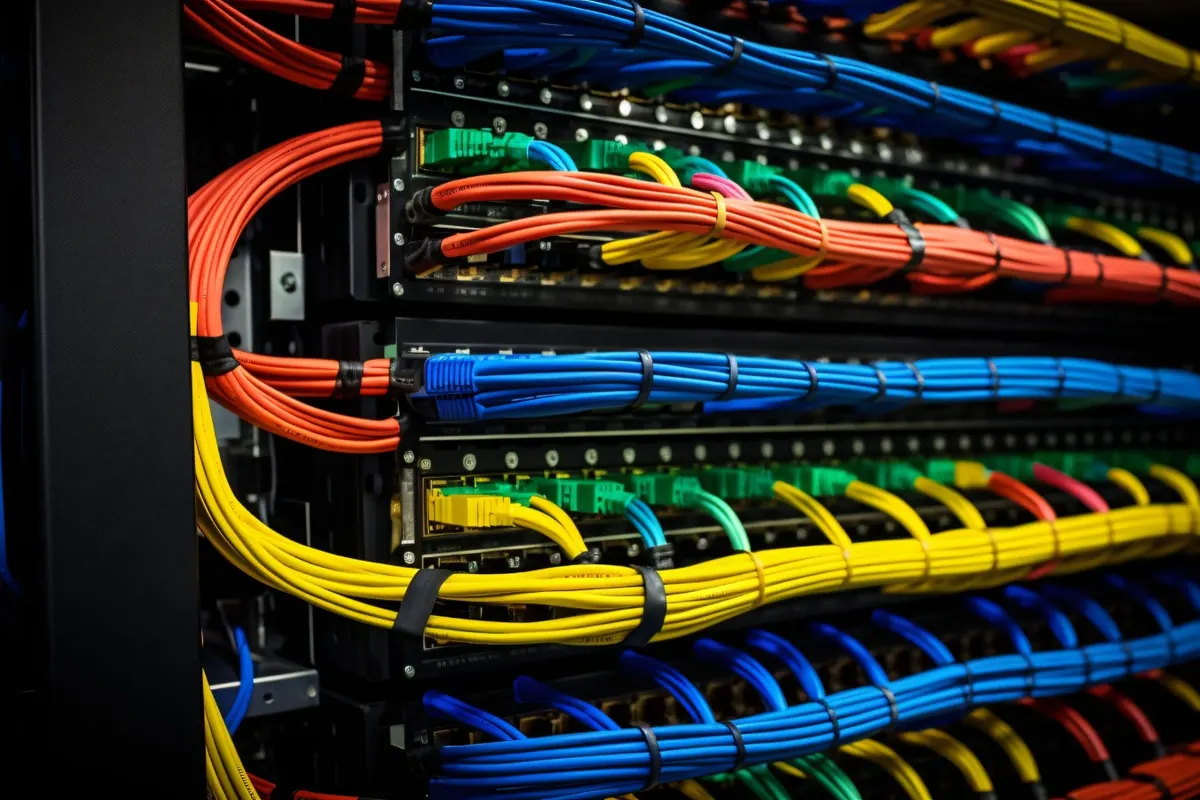
Start With Structured Cabling and Labelling
Everything else on the network depends on the physical layer. Structured cabling means every outlet runs back to a patch panel in a cabinet, using a consistent cable standard, with proper containment and sensible routes away from sources of electrical interference. It replaces the long loose cables, daisy-chained desktop switches and mystery joints that accumulate in offices over the years.
Labelling is what turns cabling into something supportable. Each outlet and the matching patch panel port should carry the same identifier, and patch leads should be kept to suitable lengths with colour used consistently — for example one colour for data, another for cameras, another for uplinks. A few habits pay off for years:
- Install more outlets than you need today; adding them later costs far more than adding them now.
- Have every link tested after installation and keep the test results.
- Keep the cabinet tidy with cable management, and lock it.
- Give the cabinet adequate ventilation or cooling — heat shortens the life of network equipment.
Switching and VLANs: Keep Traffic Organised
Unmanaged switches are fine for a handful of devices, but a business network benefits from managed switches. They allow you to see what is connected to each port, spot errors, control traffic and divide the network into VLANs — separate logical networks running over the same physical switches and cables.
Without VLANs, every device shares one flat network: office PCs, printers, phones, cameras, attendance terminals and visitors all in the same space. That makes faults harder to trace and lets a problem on one device affect everything else. With VLANs, each group of devices has its own network and address range, and traffic between groups passes through a router or firewall where it can be controlled.
Also think about capacity. Uplinks between switches should be faster than the links to individual desks, and switches that power devices over the network cable — phones, access points, cameras — need a power budget large enough for everything plugged into them.
Plan Wi-Fi Instead of Adding Access Points by Guesswork
Poor Wi-Fi is usually a design problem, not a product problem. Walls, glass partitions, metal racking and neighbouring networks all affect coverage, and the answer is rarely one powerful router in the corner. A proper plan starts with a floor plan and a survey, then places each wireless access point where it is actually needed, cabled back to the switch rather than repeating a weak signal.
- Design for the number of devices in each area, not just for signal strength. A meeting room full of laptops needs capacity.
- Use centrally managed access points so settings, channels and updates are handled in one place and devices roam smoothly.
- Separate staff and guest wireless networks, and keep the guest network away from internal systems.
- Use current wireless security standards, and change shared passwords when staff leave — or avoid shared passwords with per-user authentication.
Put a Proper Firewall at the Edge
The router supplied by an internet provider connects you to the internet, but it is not designed to protect a business. A business-grade firewall inspects traffic, blocks known threats, controls which services are reachable from outside, provides secure remote access for staff through a VPN, and enforces the rules for traffic moving between your VLANs.
A firewall only protects you if it is maintained. Keep its firmware and security subscriptions current, review the rules periodically and remove ones that are no longer needed, avoid exposing devices such as recorders or management pages directly to the internet, and keep a backup of the configuration. If you have two internet lines, the firewall can also fail over between them automatically.
Separate Networks for CCTV, Attendance Devices and Guests
Not everything on the network deserves the same level of trust. IP cameras, recorders, attendance terminals, door controllers, printers and smart TVs are all small computers, and they are often updated less frequently than PCs. Placing them on their own VLANs limits what they can reach and what can reach them.
CCTV
Cameras generate constant video traffic. A dedicated camera VLAN keeps that traffic away from office users, and means the recorder is the only thing that needs to talk to the cameras.
Attendance and access control
Attendance terminals need a stable connection to their server or cloud service and nothing else. Give them fixed addresses on their own network and allow only the traffic they require.
Guests
Visitors need internet access, not access to your file server. A guest network should be isolated from every internal VLAN and can be limited in bandwidth so that it never affects business use.
Protect Power With a UPS
A network is only available while its equipment has power. Brief power dips and outages reboot switches and firewalls, interrupt phone calls, drop camera recordings and can corrupt storage. A correctly sized UPS system for the network cabinet and server equipment bridges short interruptions and gives time for an orderly shutdown during longer ones.
Size the UPS for the real load with some headroom, remember that devices powered over network cable draw their power from the switch, and test the batteries periodically — UPS batteries wear out and need replacement on a schedule. A UPS that can signal servers and storage to shut down cleanly is preferable to one that simply runs until it is empty.
Document, Monitor and Plan for Growth
A network that lives in one person's head is a risk. Keep a simple set of documents: a network diagram, an IP address and VLAN plan, a list of equipment with locations and warranty dates, internet line details, and configuration backups. Store administrator credentials in a secure password manager, never on a note in the cabinet. Update the documents whenever something changes.
Monitoring turns surprises into warnings. Even basic monitoring will alert you when a switch, access point or internet line goes down, when a link is saturated or when a device is running hot. Add a routine for firmware updates, and you will catch most problems before users notice them. Many businesses hand this routine to their IT support provider so that it actually gets done.
Finally, design with the next few years in mind. Leave spare switch ports, spare outlets and space in the cabinet. Choose equipment with uplink capacity beyond today's needs, and note when hardware will reach the end of vendor support so replacements can be budgeted instead of forced. If you are opening a new office or relocating, that is the ideal moment to get the network infrastructure designed properly from the start.